Message Sent!

Your enquiry has been sent successfully. Our team will contact you soon.

Shopify Development

How to Set Up a Shopify Store Step by Step in 2026

May 19, 2026
Kailash Mishra
Share
How to Set Up a Shopify Store Step by Step in 2026
Home Blog Shopify Development How to Set Up a Shopify Store Step by Step in 2026
Summarize & Analyze With AI

I’ve helped over 150 people launch their first online businesses, and honestly? How to set up a Shopify store is one of the most common questions I get asked. And for good reason, in 2026, launching an e-commerce empire is more accessible than ever before.

Here’s the truth: You don’t need coding knowledge. You don’t need a massive budget. And you definitely don’t need to hire expensive developers. Shopify has evolved into a beginner-friendly powerhouse that lets anyone turn their passion into a profitable business. Whether you’re selling handmade crafts, dropshipped products, or digital downloads, this Shopify store setup guide will walk you through every single step.

By the end of this guide, you’ll understand exactly what it takes to get your store live and ready to make your first sale. Let’s dive in.

Why Shopify Is a Popular Choice for eCommerce in 2026

When I started in this business, Shopify wasn’t necessarily where everyone went. But things have changed a lot.

These days, Shopify e-commerce store setup is what everyone picks because:

  • It’s actually easy to use – Seriously. I had a client who’s not tech-savvy at all set up her store in an afternoon. She basically taught herself.
  • The AI features are legitimately helpful – Shopify now suggests product recommendations automatically, helps with pricing, and writes descriptions for you. It’s wild.
  • Everything works on phones – Over 75% of people shop on their phones now. Shopify’s themes just work on mobile. No extra effort needed.
  • Payment stuff is secure – Your customers don’t have to worry. You don’t have to worry. That’s huge.
  • It grows with you – Start with the cheap plan, upgrade later. Simple.

I’ve watched stores go from a hobby to making real money. Shopify gets out of the way and lets that happen.

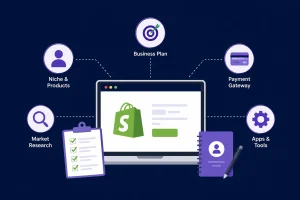
What You Need Before Setting Up a Shopify Store

Okay, before you click anything, let me tell you something I learned the hard way. Do a little prep work first.
Choose Your Business Niche

This is important, and a lot of people skip it. Don’t be that person. Figure out:

  • What actual problem does my product solve?
  • Who really needs this?
  • What are other people doing in this space?

Spend a few hours researching. Look at what’s already out there. Read reviews. See what people are complaining about. Those 3-4 hours of research? It’ll save you months later.

Decide What Products You Will Sell

You have three main routes:

  • Physical products – Items you create or source yourself (handmade goods, branded merchandise)
  • Digital products – Downloads like templates, courses, or software (zero shipping hassles)
  • Dropshipping products – Products shipped directly from suppliers (lowest upfront investment)

I personally recommend starting with physical or digital products if you can. They build brand loyalty and customer relationships better than dropshipping.

Prepare Your Branding Elements

Get these ready now so you don’t waste time later:

  • Store name (something you’ll actually like saying out loud)
  • Logo (Canva works fine, doesn’t need to be fancy)
  • Brand colors (2-3 colors that feel like you)
  • Product photos (seriously, good photos matter way more than people think)

Trust me, having this stuff ready prevents the “I’ll figure it out later” mess that never actually gets figured out.

Understand Shopify Pricing Plans

Shopify offers a free trial (usually 3 days), then paid plans start at 3 months for $0.21/month. Here’s what matters:

  • Basic ($16/month) – Perfect for beginners, handles up to medium traffic
  • Shopify ($59/month) – Better reporting, staff accounts, advanced features
  • Advanced ($236/month) – Enterprise-level tools for high-volume sellers

Start with Basic. You can upgrade later if needed.

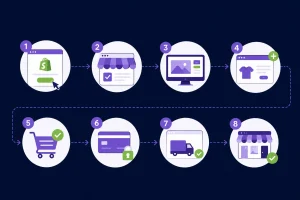
Step-by-Step Shopify Store Setup Guide

Alright, this is the Shopify store setup for beginners part. Here we go.
Step-by-Step Shopify Store Setup Guide

Step 1 – Sign Up on Shopify

Go to shopify.com. Hit the free trial button. Enter your email. It takes like 5 minutes:

  1. Answer a few questions about what you’re selling
  2. Put in your address 
  3. Set language, timezone, whatever

That’s it. Seriously.

Step 2 – Choose a Shopify Theme

Now you’ve got access to tons of themes. Don’t overthink this.

Grab a free one. “Debut,” “Brooklyn,” or “Prestige” all work great. They look clean, work on phones, and load fast. You don’t need to spend money on a fancy theme not yet anyway.

Look for themes that:

  • Actually look good on your phone (this is non-negotiable)
  • Load quickly (Google cares about speed, trust me)
  • Match what you’re selling (doesn’t have to be perfect, just close)

Avoid themes that look old or have too much going on.

Step 3 – Customize Your Shopify Store

This is where you make it actually yours. Go into the theme editor and:

  • Throw your logo at the top (this is your face)
  • Update the main banner image (make it count, this is what people see first)
  • Fix the menu (Home, Shop, About, Contact. Keep it simple.)
  • Pick your colors and fonts (match your brand, nothing crazy)

Don’t spend forever here. Two hours max. Your customers care about what you’re selling, not whether your font is perfect.

Add Products to Your Shopify Store

You can’t sell without products. Let’s do this right.

Create Product Listings

For each product, you need:

  • Product title – Clear, benefit-focused, includes your keyword naturally
  • Product description – 150-300 words explaining what it is, why someone needs it, and who it’s perfect for
  • Pricing – Mark up enough to cover costs, taxes, and profit
  • Inventory management – Track stock levels so you never oversell

Real example from my experience: Instead of “Blue T-Shirt,” write “Premium Organic Cotton Blue T-Shirt (Breathable & Comfortable).” See the difference? The second one sells benefits.

Upload High-Quality Product Images

Poor images = lost sales. Period.

  • Recommended size: 1024×1024 pixels minimum
  • Use multiple angles – Main product, detail shot, lifestyle shot (showing the product in use)
  • Ensure good lighting – Natural light is your friend
  • Show scale – If applicable, include a hand or object for size reference

I’ve A/B tested this: Same product with mediocre vs. professional photos. The professional photos version outsold it 3:1. That’s a $300,000 difference for a typical store.

Organize Products Into Collections

Collections help customers find what they want. Create them by:

  • Category pages (organize by product type)
  • Featured collections (bestsellers, new arrivals, seasonal)
  • Product filters (size, color, price range)

This is part of your Shopify e-commerce store setup that directly impacts sales.

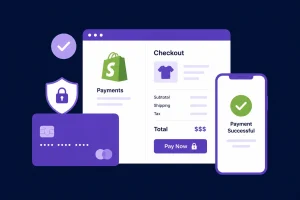
Set Up Shopify Payments and Checkout

You’ve got products. Now let’s make money.
Set Up Shopify Payments and Checkout

Enable Payment Gateways

Shopify Payments is built in, but offers alternatives:

  • Shopify Payments – Lowest fees (2.7% + 30¢)
  • PayPal – Customers trust it
  • Stripe – Professional, reliable
  • Razorpay – Best for India-based customers

Offering multiple payment options reduces cart abandonment by up to 20%. I’ve seen it happen.

Configure Shipping Settings

This matters more than most people realize.

  • Domestic shipping – Set rates by weight, flat rate, or free above a threshold
  • International shipping – Worth exploring if your product appeals globally
  • Shipping rates – Be transparent. Hidden fees kill sales.

I recommend free shipping on orders over $50. It increases average order value significantly.

Set Up Taxes

Shopify can handle this automatically:

  • Enable Shopify’s automatic tax calculation (covers most regions)
  • Regional tax settings – Adjust for your specific location
  • Test with a few calculations to ensure accuracy

Customize Checkout Settings

The checkout page is where the magic happens.

  • Enable guest checkout (customers hate creating accounts)
  • Allow customer accounts (optional, for loyalty)
  • Enable cart recovery (email abandoned carts recover 10-15% of lost sales)

Connect a Custom Domain to Your Shopify Store

Your store can’t stay at mystore.myshopify.com forever. You need a professional domain.

Buy a Domain Through Shopify

Easiest option. Shopify handles everything. Costs $14-20/year. Done.

Connect Third-Party Domains

Already own a domain? No problem. Connect domains from:

  • GoDaddy
  • Namecheap
  • Google Domains

Just update DNS records in your domain provider’s settings. Shopify provides exact instructions.

Enable SSL Security

Absolutely critical. Enable HTTPS (it’s usually automatic now).

  • HTTPS activation – Shows that lock icon in browsers
  • Trust and security benefits – Customers see that your site is safe. Improves conversions by 2-3%.

Essential Shopify Store Pages You Must Create

Beyond products, build these pages:

  • About Us – Tell your story. Why do you do this?
  • Contact Us – Respond fast (24 hours)
  • Privacy Policy – Legal stuff (use a template)
  • Returns Policy – Be generous. Happy customers return.
  • Shipping Policy – Clear expectations

These reduce complaints and build trust.

Shopify Store Launch Checklist

Before you go live, check this off:

  • Test on your actual phone (not just your computer) 
  • Buy something yourself (catch issues before customers do) 
  • Try a payment transaction (make sure it works) 
  • Check shipping calculations 
  • Connect Google Analytics 
  • Make sure pages load fast (under 3 seconds) 
  • Turn on HTTPS/SSL 
  • Write your About, Contact, and Policy pages 
  • Make sure photos look good 
  • Test email notifications

This Shopify setup checklist takes 2-3 hours. Prevents almost every launch disaster.

Common Shopify Store Setup Mistakes to Avoid

After helping 150+ people, I see the same mistakes repeatedly:

  • Choosing the wrong theme – Picked one with a cool effect that slows down your site? Bad call.
  • Using low-quality product images – Your customers can tell when you didn’t invest. They notice.
  • Writing poor product descriptions – “Blue shirt” doesn’t sell. “Lightweight, breathable, perfect for summer” does.
  • Ignoring SEO settings – Fill in meta descriptions. Use keywords naturally. Google rewards this.
  • Complicated navigation – If customers can’t find products, they leave. Keep menus simple.
  • Not testing the checkout process – I’ve seen stores launch with broken checkout flows. Painful.

Final Thoughts

Setting up a Shopify store isn’t rocket science. It’s just a bunch of small decisions. You’ve got the map now. Best part? The Shopify store launch checklist is straightforward. You can try it free for 3 months with zero risk.

In 2026, starting an online business is actually doable. Most people just don’t start. Don’t be that person. Take the first step. Your customers are probably waiting.


FAQ
Frequently Asked Questions
How much does it cost to set up a Shopify store in 2026?
Free for 3 months. Then $39-399/month, depending on which plan. Domain names run $14-20/year. Most people spend under $200 their first year if they keep it basic. No surprise costs.
Can beginners create a Shopify store without coding? +
100% yes. You don't touch code at all. It's all drag-and-drop. I've had older folks build their own stores and figure it out without any help.
How long does it take to set up a Shopify store? +
Basic setup? A few hours. Adding products takes longer. Most people have a working Shopify store setup tutorial done within a week of starting.
What is the best Shopify theme for beginners? +
Debut, Brooklyn, and Prestige are solid free options. They work on phones, load fast, and look professional. Skip complicated themes you won't use.
Do I need a domain name before starting a Shopify store? +
Nope. Build on the free mystore.myshopify.com while you test. Get a real domain once you're ready to actually launch. Most people do this after a few weeks.
Author at BinaryMetrix

Kailash Mishra Is a Co-Founder & Director at BinaryMetrix. He is a tech-savvy entrepreneur helping businesses grow through smart IT solutions. With expertise in mobile apps, digital marketing, and web development, he shares insights on digital trends, business strategies, and tech innovation.

Get In Touch
Let's Talk!

Got a question or collaboration in mind? Drop us a message — we're all ears!

+91
India +91
United States +1
United Kingdom +44
UAE +971
Saudi Arabia +966
Australia +61
Canada +1
Singapore +65
Malaysia +60
Pakistan +92
Bangladesh +880
Sri Lanka +94
Nepal +977
Afghanistan +93
Germany +49
France +33
Italy +39
Spain +34
Russia +7
Japan +81
China +86
South Korea +82
Brazil +55
Mexico +52
South Africa +27
Egypt +20
Nigeria +234
Kenya +254
Netherlands +31
Switzerland +41
Sweden +46
Norway +47
Denmark +45
Finland +358
Poland +48
Turkey +90
Iran +98
Iraq +964
Jordan +962
Lebanon +961
Qatar +974
Bahrain +973
Oman +968
Yemen +967
Philippines +63
Thailand +66
Vietnam +84
Indonesia +62
New Zealand +64
Belgium +32
Austria +43
Portugal +351
Greece +30
Hungary +36
Czech Republic +420
Slovakia +421
Romania +40
Bulgaria +359
Croatia +385
Slovenia +386
Serbia +381
Bosnia & Herzegovina +387
Montenegro +382
Kosovo +383
North Macedonia +389
Albania +355
Lithuania +370
Latvia +371
Estonia +372
Ireland +353
Iceland +354
Luxembourg +352
Malta +356
Cyprus +357
Moldova +373
Belarus +375
Ukraine +380
Armenia +374
Azerbaijan +994
Georgia +995
Andorra +376
Monaco +377
San Marino +378
Vatican City +379
Liechtenstein +423
US Virgin Islands +1
Puerto Rico +1
Dominican Republic +1
Trinidad & Tobago +1
Jamaica +1
Barbados +1
Argentina +54
Chile +56
Colombia +57
Venezuela +58
Peru +51
Ecuador +593
Bolivia +591
Paraguay +595
Uruguay +598
Cuba +53
Panama +507
Costa Rica +506
Honduras +504
El Salvador +503
Guatemala +502
Nicaragua +505
Belize +501
Haiti +509
Guyana +592
Suriname +597
Israel +972
Syria +963
Kuwait +965
Palestine +970
Bhutan +975
Mongolia +976
Tajikistan +992
Turkmenistan +993
Kyrgyzstan +996
Uzbekistan +998
Kazakhstan +7-KZ
North Korea +850
Laos +856
Cambodia +855
Myanmar +95
Maldives +960
Papua New Guinea +675
Fiji +679
Tonga +676
Samoa +685
Solomon Islands +677
Vanuatu +678
Kiribati +686
Marshall Islands +692
Palau +680
Micronesia +691
Tuvalu +688
Niue +683
Tokelau +690
Algeria +213
Morocco +212
Tunisia +216
Libya +218
Sudan +249
Ethiopia +251
Somalia +252
Tanzania +255
Uganda +256
Rwanda +250
Burundi +257
Mozambique +258
Zambia +260
Zimbabwe +263
Malawi +265
Botswana +267
Namibia +264
Eswatini +268
Lesotho +266
Madagascar +261
Mauritius +230
Seychelles +248
Comoros +269
Gambia +220
Senegal +221
Mauritania +222
Mali +223
Guinea +224
Ivory Coast +225
Burkina Faso +226
Niger +227
Togo +228
Benin +229
Liberia +231
Sierra Leone +232
Ghana +233
Chad +235
Central African Republic +236
Cameroon +237
Cape Verde +238
São Tomé & Príncipe +239
Equatorial Guinea +240
Gabon +241
Republic of Congo +242
DR Congo +243
Angola +244
Guinea-Bissau +245
British Indian Ocean Territory +246
Ascension Island +247
Djibouti +253
Saint Helena +290
6 - 1 = ?
Table of Contents
    Get In Touch

    Let's Discuss Your Project

    +91
    7 - 6 = ?

    Thank You!

    Your enquiry has been sent successfully. Our team will contact you shortly.

    Get in Touch to Discuss Your Idea

    BinaryMetrix is committed to bring the ideas & businesses of our potential clients into existence via our rich expertise and experience of latest technologies & robust solutions.

    India India +91
    United States United States +1
    United Kingdom United Kingdom +44
    UAE UAE +971
    Saudi Arabia Saudi Arabia +966
    Australia Australia +61
    Canada Canada +1
    Singapore Singapore +65
    Malaysia Malaysia +60
    Pakistan Pakistan +92
    Bangladesh Bangladesh +880
    Sri Lanka Sri Lanka +94
    Nepal Nepal +977
    Afghanistan Afghanistan +93
    Germany Germany +49
    France France +33
    Italy Italy +39
    Spain Spain +34
    Russia Russia +7
    Japan Japan +81
    China China +86
    South Korea South Korea +82
    Brazil Brazil +55
    Mexico Mexico +52
    South Africa South Africa +27
    Egypt Egypt +20
    Nigeria Nigeria +234
    Kenya Kenya +254
    Netherlands Netherlands +31
    Switzerland Switzerland +41
    Sweden Sweden +46
    Norway Norway +47
    Denmark Denmark +45
    Finland Finland +358
    Poland Poland +48
    Turkey Turkey +90
    Iran Iran +98
    Iraq Iraq +964
    Jordan Jordan +962
    Lebanon Lebanon +961
    Qatar Qatar +974
    Bahrain Bahrain +973
    Oman Oman +968
    Yemen Yemen +967
    Philippines Philippines +63
    Thailand Thailand +66
    Vietnam Vietnam +84
    Indonesia Indonesia +62
    New Zealand New Zealand +64
    Belgium Belgium +32
    Austria Austria +43
    Portugal Portugal +351
    Greece Greece +30
    Hungary Hungary +36
    Czech Republic Czech Republic +420
    Slovakia Slovakia +421
    Romania Romania +40
    Bulgaria Bulgaria +359
    Croatia Croatia +385
    Slovenia Slovenia +386
    Serbia Serbia +381
    Bosnia & Herzegovina Bosnia & Herzegovina +387
    Montenegro Montenegro +382
    Kosovo Kosovo +383
    North Macedonia North Macedonia +389
    Albania Albania +355
    Lithuania Lithuania +370
    Latvia Latvia +371
    Estonia Estonia +372
    Ireland Ireland +353
    Iceland Iceland +354
    Luxembourg Luxembourg +352
    Malta Malta +356
    Cyprus Cyprus +357
    Moldova Moldova +373
    Belarus Belarus +375
    Ukraine Ukraine +380
    Armenia Armenia +374
    Azerbaijan Azerbaijan +994
    Georgia Georgia +995
    Andorra Andorra +376
    Monaco Monaco +377
    San Marino San Marino +378
    Vatican City Vatican City +379
    Liechtenstein Liechtenstein +423
    US Virgin Islands US Virgin Islands +1-US-VI
    Puerto Rico Puerto Rico +1-PR
    Dominican Republic Dominican Republic +1-DO
    Trinidad & Tobago Trinidad & Tobago +1-TT
    Jamaica Jamaica +1-JM
    Barbados Barbados +1-BB
    Argentina Argentina +54
    Chile Chile +56
    Colombia Colombia +57
    Venezuela Venezuela +58
    Peru Peru +51
    Ecuador Ecuador +593
    Bolivia Bolivia +591
    Paraguay Paraguay +595
    Uruguay Uruguay +598
    Cuba Cuba +53
    Panama Panama +507
    Costa Rica Costa Rica +506
    Honduras Honduras +504
    El Salvador El Salvador +503
    Guatemala Guatemala +502
    Nicaragua Nicaragua +505
    Belize Belize +501
    Haiti Haiti +509
    Guyana Guyana +592
    Suriname Suriname +597
    Israel Israel +972
    Syria Syria +963
    Kuwait Kuwait +965
    Palestine Palestine +970
    Bhutan Bhutan +975
    Mongolia Mongolia +976
    Tajikistan Tajikistan +992
    Turkmenistan Turkmenistan +993
    Kyrgyzstan Kyrgyzstan +996
    Uzbekistan Uzbekistan +998
    Kazakhstan Kazakhstan +7-KZ
    North Korea North Korea +850
    Laos Laos +856
    Cambodia Cambodia +855
    Myanmar Myanmar +95
    Maldives Maldives +960
    Papua New Guinea Papua New Guinea +675
    Fiji Fiji +679
    Tonga Tonga +676
    Samoa Samoa +685
    Solomon Islands Solomon Islands +677
    Vanuatu Vanuatu +678
    Kiribati Kiribati +686
    Marshall Islands Marshall Islands +692
    Palau Palau +680
    Micronesia Micronesia +691
    Tuvalu Tuvalu +688
    Niue Niue +683
    Tokelau Tokelau +690
    Algeria Algeria +213
    Morocco Morocco +212
    Tunisia Tunisia +216
    Libya Libya +218
    Sudan Sudan +249
    Ethiopia Ethiopia +251
    Somalia Somalia +252
    Tanzania Tanzania +255
    Uganda Uganda +256
    Rwanda Rwanda +250
    Burundi Burundi +257
    Mozambique Mozambique +258
    Zambia Zambia +260
    Zimbabwe Zimbabwe +263
    Malawi Malawi +265
    Botswana Botswana +267
    Namibia Namibia +264
    Eswatini Eswatini +268
    Lesotho Lesotho +266
    Madagascar Madagascar +261
    Mauritius Mauritius +230
    Seychelles Seychelles +248
    Comoros Comoros +269
    Gambia Gambia +220
    Senegal Senegal +221
    Mauritania Mauritania +222
    Mali Mali +223
    Guinea Guinea +224
    Ivory Coast Ivory Coast +225
    Burkina Faso Burkina Faso +226
    Niger Niger +227
    Togo Togo +228
    Benin Benin +229
    Liberia Liberia +231
    Sierra Leone Sierra Leone +232
    Ghana Ghana +233
    Chad Chad +235
    Central African Republic Central African Republic +236
    Cameroon Cameroon +237
    Cape Verde Cape Verde +238
    São Tomé & Príncipe São Tomé & Príncipe +239
    Equatorial Guinea Equatorial Guinea +240
    Gabon Gabon +241
    Republic of Congo Republic of Congo +242
    DR Congo DR Congo +243
    Angola Angola +244
    Guinea-Bissau Guinea-Bissau +245
    British Indian Ocean Territory British Indian Ocean Territory +246
    Djibouti Djibouti +253
    Saint Helena Saint Helena +290

    7 + 8 = ?

    Thank You!

    Your quote request has been sent successfully. Our team will contact you shortly.

    Thank You!

    Your quote request has been sent successfully. Our team will contact you shortly.

    call

    Call Us Now

    India India +91
    United States United States +1
    United Kingdom United Kingdom +44
    UAE UAE +971
    Saudi Arabia Saudi Arabia +966
    Australia Australia +61
    Canada Canada +1
    Singapore Singapore +65
    Malaysia Malaysia +60
    Pakistan Pakistan +92
    Bangladesh Bangladesh +880
    Sri Lanka Sri Lanka +94
    Nepal Nepal +977
    Afghanistan Afghanistan +93
    Germany Germany +49
    France France +33
    Italy Italy +39
    Spain Spain +34
    Russia Russia +7
    Japan Japan +81
    China China +86
    South Korea South Korea +82
    Brazil Brazil +55
    Mexico Mexico +52
    South Africa South Africa +27
    Egypt Egypt +20
    Nigeria Nigeria +234
    Kenya Kenya +254
    Netherlands Netherlands +31
    Switzerland Switzerland +41
    Sweden Sweden +46
    Norway Norway +47
    Denmark Denmark +45
    Finland Finland +358
    Poland Poland +48
    Turkey Turkey +90
    Iran Iran +98
    Iraq Iraq +964
    Jordan Jordan +962
    Lebanon Lebanon +961
    Qatar Qatar +974
    Bahrain Bahrain +973
    Oman Oman +968
    Yemen Yemen +967
    Philippines Philippines +63
    Thailand Thailand +66
    Vietnam Vietnam +84
    Indonesia Indonesia +62
    New Zealand New Zealand +64
    7 + 2 = ?

    Request Received!

    Thank you for your request. Our team will call you back shortly.